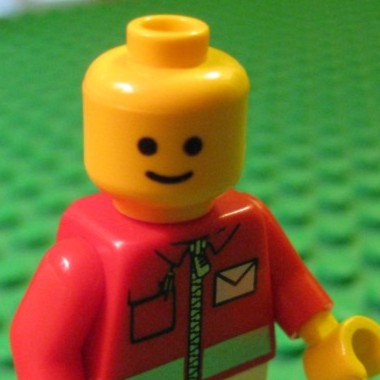
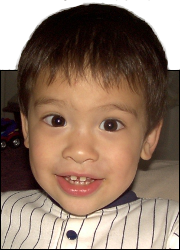
 This is Alpha, the first-born, when he was 2YO.
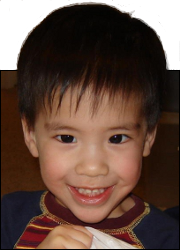 This is Beta, the second-born, when he was about 2YO.
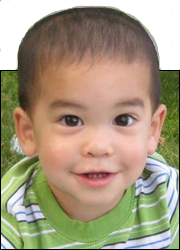 This is Gamma, the third-born, when he was about 18MO.
Winter Book Thingy 2026
Apr
30
2026
Here are some more mini-reviews of books, thanks to a spring break trip. I’m going in order of when I read them.
First up: Big Dumb Eyes by Nate Bargatze

This was not middle-grade fiction, so I didn’t pick this book out. Some Wife got it and tossed it over to me to read too, as we are both fans of Nate Bargatze.
I didn’t have much expectation, and it’s more of a memoir so I can’t rate the plot or characters at all. In general, if you like Nate Bargatze as a comic then you’ll enjoy this book.
I will also note that we watched his TV game show Greatest Average American and, while it was mildly entertaining, the thing that got the most attention from us was seeing how long he goes without blinking. Those eyes are just big and open and they stay open.
Next up: The Battle for Skandia by John Flanagan

This is the fourth book in the Ranger’s Apprentice series. Book 1 had an ending with a decent conclusion. Books 2 and 3 did not have conclusions, so you are forced to keep reading. Book 4 finally had a non-cliffhanger ending, so you could reasonably stop here if you want.
I liked this one better than the previous book, because it got back to the story’s roots more. It was not as dark, and it had a little more in the way of warfare and tactics. If you liked book 1 you should like book 4.
Next up: The Girl Who Could Fly by Victoria Forester

If you like the short story Harrison Bergeron then you’ll like this book. If you haven’t read Harrison Bergeron (and you can find it online so no reason not to go read it right now) then skip to the next paragraph so I don’t spoil it for you. Imagine Harrison Bergeron but as a novel and with a happy ending. And with some supernatural powers too. And that’s it for the spoilers part.
The book is the first part of a trilogy, but you could read just the first book and be satisfied. I liked how it was written. I’m not sure if it’s the style of writing itself, or just the setting that makes the style seem different, but I did notice something. It’s a little more carefree writing style, that helps you get into the setting and the characters. Either way, I think it works. The story itself is good too.
Next up: Pyramids by Terry Pratchett

I read this book because I had heard a lot of good things about the Discworld books and wanted to try one. This was one of the books that was listed as being standalone. Discworld isn’t a series, it is several series plus a smattering of books not in a series. You could probably read any of them and get a feel for his writing and the Discworld setting, but I wanted to choose a standalone book in case I didn’t feel like getting into it more.
I will say this book, and Discworld in general, is not for everyone. There was some mildly objectionable stuff throughout, but when I say it’s not for everyone I’m thinking more it’s his form of humor that people either get or don’t get. Pratchett is most often compared to Douglas Adams, from what I’ve seen, but I would also throw Piers Anthony in the mix too.
Last up: Project Hail Mary by Andy Weir

I had to read this one because everyone else in the house wanted to go see the movie and I like to read the book first so that I get my own images in my head whilst reading. Plus Some Wife had read the book a while ago and said it was one of the best books she’s read.
And it was a good book. Well worth reading. The movie did a good job of presenting the story, but the book gives so many more details that make the story better.
Some Wife also liked the story The Martian by Andy Weir. It’s in the same flavor as Project Hail Mary, but The Martian book has a lot of foul language whereas Project Hail Mary does not (although it does have a slight bit of adult content). So for PHM I can recommend both the book and the movie, but for The Martian I can recommend the movie but not the book. The movie is much cleaner, although not completely clean.
That’s it for this review. More book reviews coming up later this year.
But they that wait upon the Lord shall renew their strength; they shall mount up with wings as eagles; they shall run, and not be weary; and they shall walk, and not faint.
Isaiah 40:31